Overlays moving feature markers and keyframe trails for a motion-tracking interface look.
Also known as: KeyFramesmotion tracking overlaytracker path
Moves in browsers that support WebGPU
This device could not render the demo — showing a still
Code reflects the control values
React
// Renders only in browsers with WebGPU.
// /samples/… are this site’s sample files — point them at your own image or video.
import { Shader, KeyFrames, VideoTexture } from 'shaders/react'

export default function ShaderEffect() {
  return (
    <Shader style={{ width: '100%', height: 320 }} disableTelemetry>
      <VideoTexture
        objectFit="cover"
        url="/samples/clip.mp4" />
      <KeyFrames />
    </Shader>
  )
}
Vue
<!-- Renders only in browsers with WebGPU. -->
<!-- /samples/… are this site’s sample files — point them at your own image or video. -->
<script setup lang="ts">
import { Shader, KeyFrames, VideoTexture } from 'shaders/vue'
</script>

<template>
  <Shader style="width: 100%; height: 320px" :disable-telemetry="true">
    <VideoTexture
      object-fit="cover"
      url="/samples/clip.mp4"/>
    <KeyFrames/>
  </Shader>
</template>
Svelte
<!-- Renders only in browsers with WebGPU. -->
<!-- /samples/… are this site’s sample files — point them at your own image or video. -->
<script>
  import { Shader, KeyFrames, VideoTexture } from 'shaders/svelte'
</script>

<Shader style="width: 100%; height: 320px" disableTelemetry>
  <VideoTexture
    objectFit="cover"
    url="/samples/clip.mp4" />
  <KeyFrames />
</Shader>
Solid
// Renders only in browsers with WebGPU.
// /samples/… are this site’s sample files — point them at your own image or video.
import { Shader, KeyFrames, VideoTexture } from 'shaders/solid'

export default function ShaderEffect() {
  return (
    <Shader style={{ width: '100%', height: '320px' }} disableTelemetry>
      <VideoTexture
        objectFit="cover"
        url="/samples/clip.mp4" />
      <KeyFrames />
    </Shader>
  )
}
JavaScript
// Renders only in browsers with WebGPU.
// /samples/… are this site’s sample files — point them at your own image or video.
// expects <canvas id="canvas" style="width:100%;height:320px"></canvas> on the page
import { createShader } from 'shaders/js'

const shader = await createShader(document.getElementById("canvas"), {
  components: [
    {
      type: 'VideoTexture',
      props: {
        objectFit: 'cover',
        url: '/samples/clip.mp4',
      },
    },
    {
      type: 'KeyFrames',
    }
  ]
}, { disableTelemetry: true })
Props · KeyFrames
Changes apply to the demo above and to the code tabs. Descriptions come from the library registry (MIT).
Name
Value
Default
Range / options
Description
trackersTrackers
12
1 – 64 (step 1)
Number of simultaneous trackers.
detectDetect
bright
bright · dark · alpha · red · green · blue
What the trackers hunt for.
thresholdThreshold
0.15
0 – 0.9 (step 0.01)
Feature floor — content scoring below this doesn't count as trackable at all.
varianceVariance
0.8
0 – 1 (step 0.01)
Spread of tracker preferences — 0 hunts only the strongest features, 1 distributes trackers across the whole brightness range.
agilityAgility
0.5
0 – 1 (step 0.01)
How fast trackers travel and how wide they search.
lifespanLifespan
6
0 – 20 (step 0.5)
Seconds a tracker follows its target before retiring and reacquiring elsewhere. 0 = track forever.
trailTrail
1
0 – 1 (step 0.01)
Visibility of the keyframe trail each tracker leaves behind.
markerSizeMarker Size
28
8 – 80 (step 1)
Tracker gizmo size in pixels.
lineWidthLine Width
1.5
0.5 – 6 (step 0.25)
Stroke width in pixels.
markerColorTracker
#54d66b
—
Tracker gizmo color.
keyframeColorKeyframes
#ffcf33
—
Keyframe diamond color.
pathColorPath
#ffffffb8
—
Motion path color.
Every component also takes blendMode · opacity · visible · maskSource/maskType · boundingBox · id
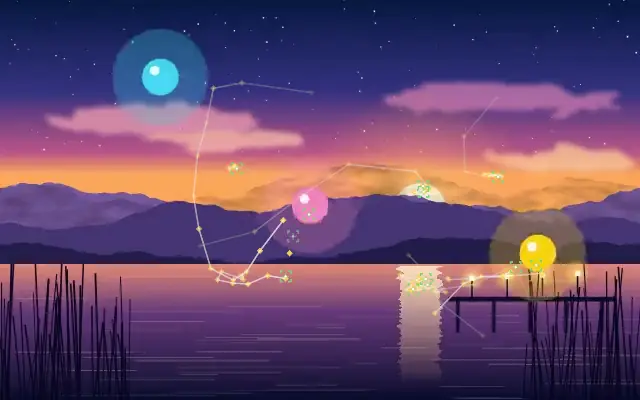
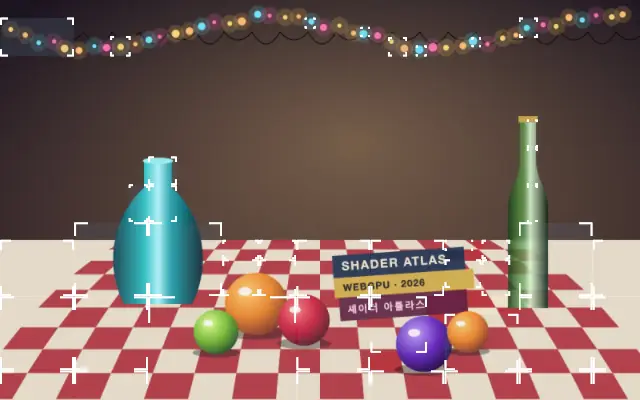
It stages an editing screen with tracker markers and motion paths drawn over footage. Several points move across the image and leave keyframe diamonds behind.
`trackers` defaults to 12 and ranges from 1 to 64 to set how many markers move at once. The default `detect` is `bright`; it selects brightness, darkness, transparency, or an RGB channel to follow. `threshold` defaults to 0.15 and ranges from 0 to 0.9 to set the feature floor, while `agility` defaults to 0.5 and ranges from 0 to 1 to control movement speed and search width. `lifespan` defaults to 6 seconds and ranges from 0 to 20; 0 keeps a tracker following indefinitely.
Place the image or video to track underneath it. Pair it with `ObjectTracker` to show moving markers alongside region boxes, but treat the result as a visual overlay and verify separately when actual production tracking data is required.
When to use
Use it for motion-graphics explanations, video-editor concepts, and presentations that show a tracking process. Avoid it as a substitute for accurate tracking data from production footage.