보이드 군집

Boids

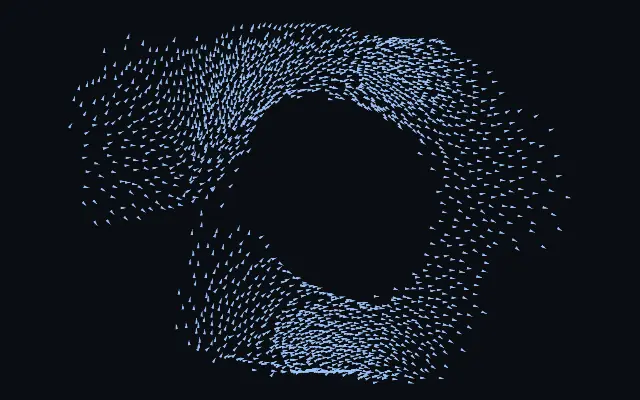
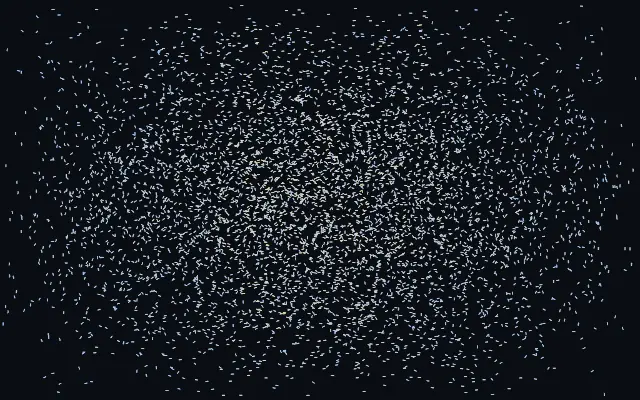
작은 에이전트들이 무리처럼 모이고 갈라지며, 포인터를 향하거나 피합니다.

다른 이름: Boidsflocking simulationmurmuration

WebGPU 를 지원하는 브라우저에서 움직입니다

이 기기에서는 데모를 그리지 못해 정지 화면을 보여 줍니다

React
// WebGPU 를 지원하는 브라우저에서만 그립니다.
import { Shader, Boids } from 'shaders/react'

export default function ShaderEffect() {
  return (
    <Shader style={{ width: '100%', height: 320 }} disableTelemetry>
      <Boids />
    </Shader>
  )
}
Vue
<!-- WebGPU 를 지원하는 브라우저에서만 그립니다. -->
<script setup lang="ts">
import { Shader, Boids } from 'shaders/vue'
</script>

<template>
  <Shader style="width: 100%; height: 320px" :disable-telemetry="true">
    <Boids/>
  </Shader>
</template>
Svelte
<!-- WebGPU 를 지원하는 브라우저에서만 그립니다. -->
<script>
  import { Shader, Boids } from 'shaders/svelte'
</script>

<Shader style="width: 100%; height: 320px" disableTelemetry>
  <Boids />
</Shader>
Solid
// WebGPU 를 지원하는 브라우저에서만 그립니다.
import { Shader, Boids } from 'shaders/solid'

export default function ShaderEffect() {
  return (
    <Shader style={{ width: '100%', height: '320px' }} disableTelemetry>
      <Boids />
    </Shader>
  )
}
JavaScript
// WebGPU 를 지원하는 브라우저에서만 그립니다.
// <canvas id="canvas" style="width:100%;height:320px"></canvas> 가 페이지에 있어야 한다
import { createShader } from 'shaders/js'

const shader = await createShader(document.getElementById("canvas"), {
  components: [
    {
      type: 'Boids',
    }
  ]
}, { disableTelemetry: true })

속성(props) · Boids

값을 바꾸면 위 데모와 코드 탭에 바로 반영됩니다. 설명은 라이브러리 레지스트리의 영어 원문(MIT)입니다.

이름값기본값범위·선택지설명(원문)
colorARest Color#8ec5ff—Color of agents cruising calmly with the flock
colorBExcited Color#ff7ad9—Color agents flash toward when agitated — scattering from the predator cursor or banking through a hard turn
colorSpaceColor Spaceoklablinear · oklch · oklab · hsl · hsv · lchColor space for the rest→excited color ramp
agentShapeShapearrowarrow · streak · dot · square · glowWhat each agent is drawn as — a hard-edged arrow, streak or square pointing along its heading, a plain dot, or a soft glowing comet
countCount2000100 – 4000 (step 100)Number of flocking agents
speedSpeed20.2 – 5 (step 0.1)Overall cruising speed of the flock
seedSeed00 – 100 (step 1)Re-rolls the flock's starting formation — each value spawns the murmuration in a different arrangement
sizeSize1.50.5 – 3 (step 0.05)Size of each agent
trailsTrails00 – 1 (step 0.01)How long each agent's motion trail persists — 0 draws crisp agents, 1 leaves long ribbons
separationSeparation1.70 – 3 (step 0.01)How strongly agents steer away from crowding their neighbours
alignmentAlignment1.50 – 3 (step 0.01)How strongly agents match their neighbours' heading — the driver of coherent murmuration ribbons
cohesionCohesion10 – 3 (step 0.01)How strongly agents steer toward the local center of the flock
perceptionPerception0.120.05 – 0.35 (step 0.01)How far each agent can sense its neighbours (in screen heights) — larger sees bigger, smoother flocks
cursorModeCursorrepelnone · attract · repelHow the flock reacts to the cursor
cursorStrengthCursor Strength1.50 – 3 (step 0.01)Strength of the cursor's pull or push on the flock

모든 컴포넌트 공통: blendMode · opacity · visible · maskSource/maskType · boundingBox · id

수많은 작은 에이전트가 한 무리처럼 방향을 맞추고 흩어졌다 다시 모인다. 하늘의 새 떼가 한 덩어리로 휘어지는 모습처럼 보이며, 포인터가 가까이 오면 끌리거나 피한다.

`count`는 무리의 크기(기본값 2000, 범위 100–4000), `speed`는 전체 이동 속도(기본값 2, 범위 0.2–5)다. `separation`은 서로 간격을 두는 정도(기본값 1.7, 범위 0–3), `alignment`는 이웃과 방향을 맞추는 정도(기본값 1.5, 범위 0–3), `cohesion`은 무리의 중심으로 모이는 정도(기본값 1, 범위 0–3)를 조절한다.

화면을 채우는 생성 레이어라 입력 이미지가 필요 없다. 단순한 바탕에서 무리의 움직임이 잘 읽히며, 움직이는 에이전트가 계속 시선을 끌므로 긴 글의 배경에는 피한다.

언제 쓰나

살아 있는 히어로 배경, 포인터에 반응하는 데이터 장식, 군집 움직임을 보여 주는 인터랙티브 아트에 좋다. 오래 읽는 본문이나 정적인 안내 영역에서는 피한다.

페이지로 열기 ↗