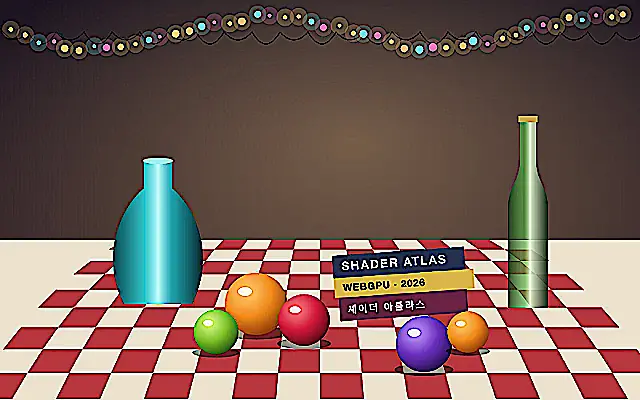
Sharpness strengthens image edges to make details appear clearer.
Also known as: Sharpnesssharpening
Moves in browsers that support WebGPU
This device could not render the demo — showing a still
Code reflects the control values
React
// Renders only in browsers with WebGPU.
// /samples/… are this site’s sample files — point them at your own image or video.
import { Shader, ImageTexture, Sharpness } from 'shaders/react'

export default function ShaderEffect() {
  return (
    <Shader style={{ width: '100%', height: 320 }} disableTelemetry>
      <ImageTexture
        objectFit="cover"
        url="/samples/still.jpg" />
      <Sharpness
        sharpness={3} />
    </Shader>
  )
}
Vue
<!-- Renders only in browsers with WebGPU. -->
<!-- /samples/… are this site’s sample files — point them at your own image or video. -->
<script setup lang="ts">
import { Shader, ImageTexture, Sharpness } from 'shaders/vue'
</script>

<template>
  <Shader style="width: 100%; height: 320px" :disable-telemetry="true">
    <ImageTexture
      object-fit="cover"
      url="/samples/still.jpg"/>
    <Sharpness
      :sharpness="3"/>
  </Shader>
</template>
Svelte
<!-- Renders only in browsers with WebGPU. -->
<!-- /samples/… are this site’s sample files — point them at your own image or video. -->
<script>
  import { Shader, ImageTexture, Sharpness } from 'shaders/svelte'
</script>

<Shader style="width: 100%; height: 320px" disableTelemetry>
  <ImageTexture
    objectFit="cover"
    url="/samples/still.jpg" />
  <Sharpness
    sharpness={3} />
</Shader>
Solid
// Renders only in browsers with WebGPU.
// /samples/… are this site’s sample files — point them at your own image or video.
import { Shader, ImageTexture, Sharpness } from 'shaders/solid'

export default function ShaderEffect() {
  return (
    <Shader style={{ width: '100%', height: '320px' }} disableTelemetry>
      <ImageTexture
        objectFit="cover"
        url="/samples/still.jpg" />
      <Sharpness
        sharpness={3} />
    </Shader>
  )
}
JavaScript
// Renders only in browsers with WebGPU.
// /samples/… are this site’s sample files — point them at your own image or video.
// expects <canvas id="canvas" style="width:100%;height:320px"></canvas> on the page
import { createShader } from 'shaders/js'

const shader = await createShader(document.getElementById("canvas"), {
  components: [
    {
      type: 'ImageTexture',
      props: {
        objectFit: 'cover',
        url: '/samples/still.jpg',
      },
    },
    {
      type: 'Sharpness',
      props: {
        sharpness: 3,
      },
    }
  ]
}, { disableTelemetry: true })
Props · Sharpness
Changes apply to the demo above and to the code tabs. Descriptions come from the library registry (MIT).
Name
Value
Default
Range / options
Description
sharpnessSharpness
0
0 – 5 (step 0.1)
How sharp to make the underlying image
Every component also takes blendMode · opacity · visible · maskSource/maskType · boundingBox · id
It emphasizes edges so details in a slightly soft photo appear clearer, like tracing the outlines once more with a pencil.
`sharpness` defaults to 0 and ranges from 0 to 5 for the amount of sharpening. Raising it strengthens edge emphasis.
Place it over an image or video input. High values on an already sharp image can create rough edges or visible outlines. A subtle adjustment after Blur can restore some crispness, but do not expect it to bring back detail removed by blur.
When to use
Use it to clarify image or video edges, compensate for a soft input, or add crispness after another effect. Lower the value when edges start to look rough instead of increasing it further.